Tick Data Suite

If you were expecting a flashy sales page, I’m sorry to disappoint you. The Tick Data Suite is geared towards individuals who are not impressed by huge colored and possibly flashing text, so all that you will read below are facts that you should know prior to purchasing your copy.

Backtesting Forex strategies is certainly one of the most efficient ways of gauging their profitability potential. I would go as far as saying it’s THE best way unless you’re in possession of very extensive forward testing results. However, with Metatrader 4 – the most popular Forex platform nowadays – backtesting is inherently flawed. Metatrader 4 does not store the actual ticks coming from the broker’s server; the best data at its disposal is data from the M1 timeframe – it only has the open, high, low, close and number of ticks for each minute. So, if it only has these for values, you might be wondering how does it produce the ticks that happened within each minute and the answer is easy: it generates fake ticks through interpolation based on the tick count for each minute. If you didn’t understand what’s the problem yet, I’ll point it out for you: the ticks generated this way are not the real ticks, they are essentially fake ticks! Not only that, but Metatrader 4 is only able to backtest your robot using the fixed spread, whereas all good brokers nowadays use variable spread! It simply uses the current spread of your broker so, for example, if you’re testing an Asian scalper robot during the day, the results will be completely misleading.

Now, if you have a strategy that deals with hundreds of pips for each trade and only closes at a stop loss or take profit, the fact that the ticks in your backtest are not the actual ticks does not really matter that much. However, if you have a scalping strategy that takes profit at 10-20 pips or if you have a strategy that follows the market closely with a trailing stop, backtesting with ticks that actually happened and with the real spread will make a world of difference.

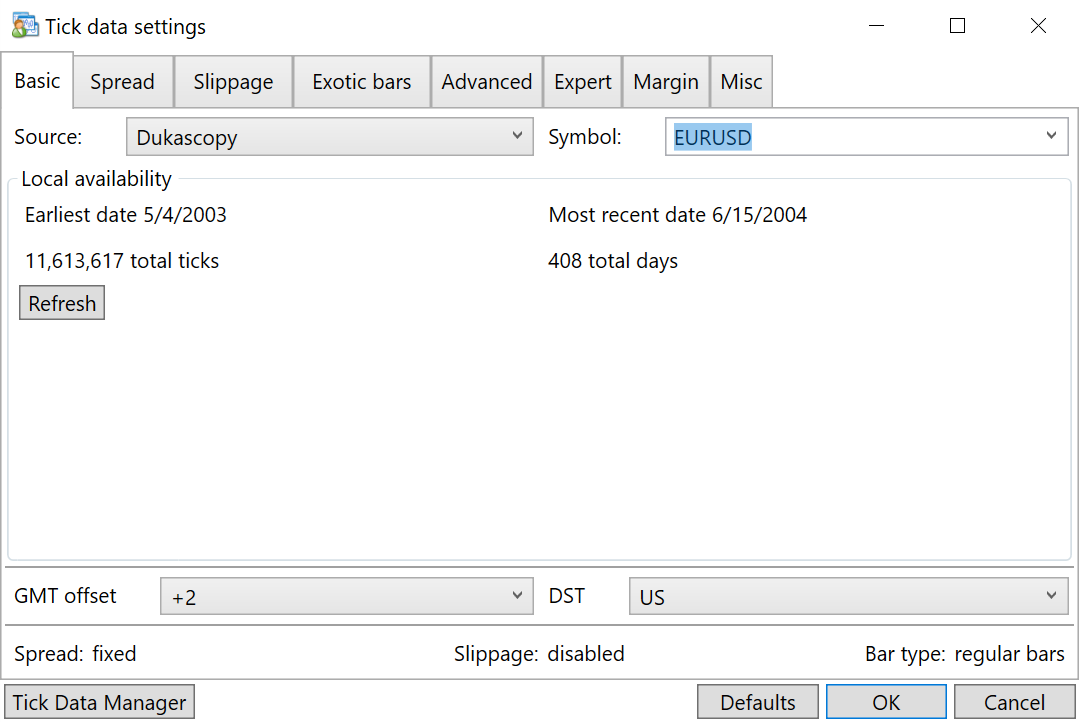
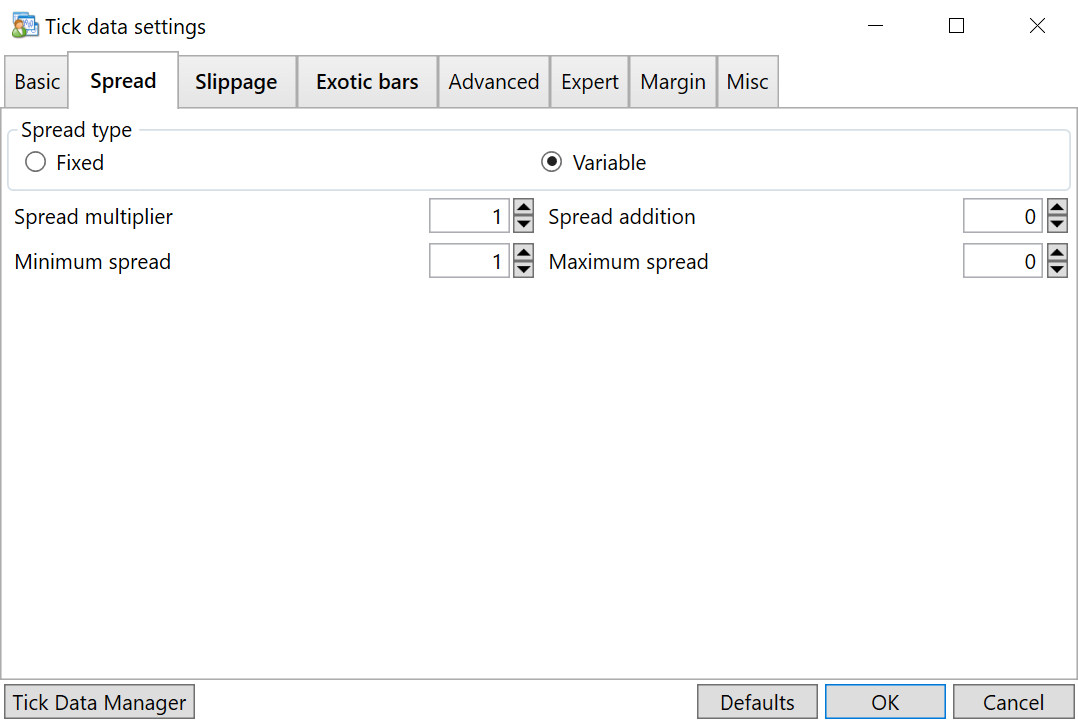
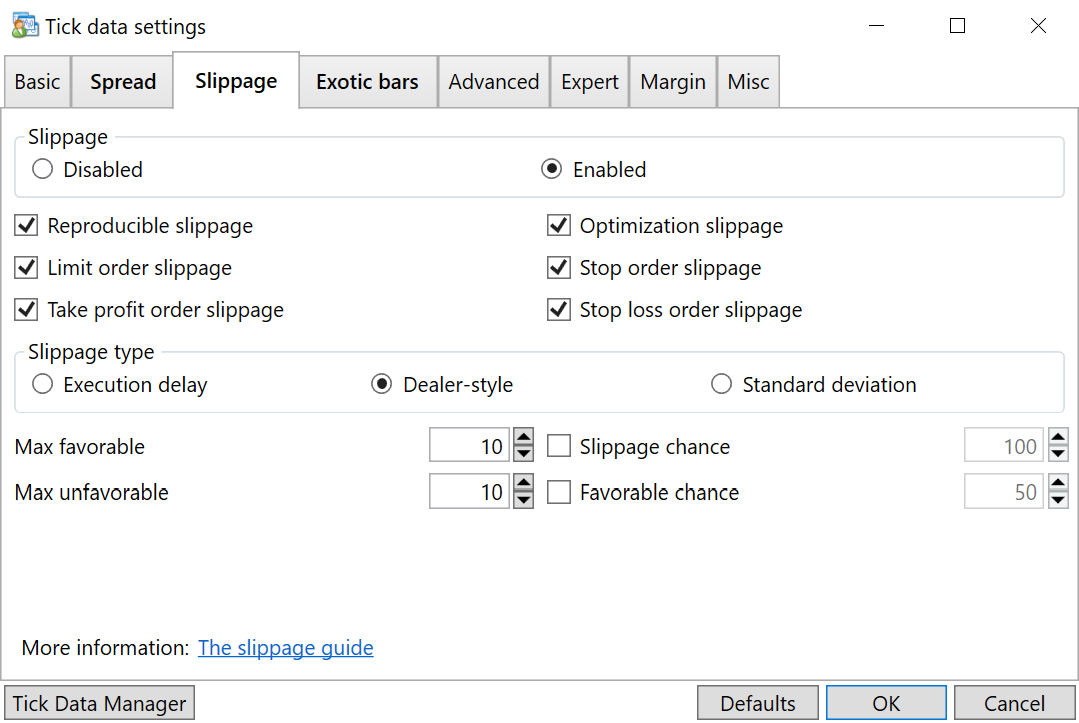
That’s where the Tick Data Suite steps in – using it allows you to use tick data and variable spread in your Metatrader 4 backtesting to obtain an unprecedented accuracy and 99% modeling quality. Since tick data is available for free from multiple brokers, you can even test your expert advisors to see how they would perform with different data sources. By using the Tick Data Suite you can certainly perform a much better appraisal of the strategy you’re evaluating and you can gain the confidence needed to test it live.

In case you’re wondering how dramatic can the dissimilarity be, take a look at the backtests in my Fast Forex Millions article – the difference between what you get with history center data and what you get with tick data is obvious: while the EA performed very nice with history center data, it didn’t do nearly as well when backtested with tick data. For that matter, you can take a look at pretty much any of my articles that includes backtests and judge the contrast between tick data and history center data.

You’re invited to check it out yourself – a free 7 day trial is available with the full functionality of the product. All you have to do is download it, follow the other guides on this website and get started with your own 99% modeling quality backtests! I’m not going to tell you that it’s very easy, but if you’re committed to getting the best possible accuracy in your backtests I have no doubt that you will be able to summon the will to go through the process and at the end you will probably conclude that it wasn’t that hard after all. Personally, as anyone can see in my articles, I use tick data for virtually all the robots that I backtest and there’s nothing that keeps you from doing the same!

The Tick Data Suite features:

  • Allows using tick data in Metatrader 4 backtesting.
  • Allows running expert advisor optimizations using tick data.
  • Allows backtesting with real, variable spread.
  • Lifts the 2GB size limitation that Metatrader 4 has for its FXT data files, effectively allowing you to backtest the whole data range in a single go.
  • Allows starting multiple Metatrader 4 copies from the same folder, letting you run multiple backtests or optimizations at the same time
  • Prevents overwriting existing FXT data files using the every tick model, so it saves a lot of time even when repeatedly backtesting the same time period with history center data.
  • Automatically detects if your data files are using variable spread or not.
  • Works great with 3rd party products such as the Walk Forward Analyzer

The Tick Data Suite is priced at $97 and includes one month of free support & updates. Once this period expires, a $10 monthly subscription is charged for continued support and updates.

Upon confirmation of your purchase, the product will be immediately available for download. The serial number that you are provided is valid on a single workstation with unlimited Metatrader 4 clients. Moving it to a different workstation (for instance, your VPS) is a seamless process, but it is worth noting that this can only be performed once every 48 hours and it deactivates your copy on any other workstations.

Full refunds can be requested and will be granted within the first 60 days from the date of the purchase, however please consider trying out the full featured Tick Data Suite trial version prior to purchasing to determine if it meets your needs.

Buy now via Clickbank

Discount offers:

  • You can have up to 5 licenses with the recurring billing of a single license. Once you’ve purchased a copy, head to the additional license page if you need more.
  • You can purchase 5 licenses for the price of 4. This 5 license package also has an associated recurring billing fee of $10, just like a single license. Click here to take advantage of this offer.

If you wish to subscribe to the Tick Data Suite newsletter to receive product news (mostly notifications when new versions are available) please use this form:

  • #251 written by Sandra January 23, 2013 (3 months ago)

    Hi Birt,

    I was looking to maybe purchase the Tick Data suite. I am currently running intensive optimizations and backtests on two computers at the same time, under the same Metatrader account. Does a single license can be run on two different computers, but from the same home ? Thanks!

    • #252 written by birt January 23, 2013 (3 months ago)

      No, sorry, the license is per computer not per household. You can only use it on a single computer at a time. You can move it from computer 1 to computer 2 but it’ll stop working on computer 1. Such a move can only be performed once every 48 hours.

      • #253 written by Vinisius January 28, 2013 (3 months ago)

        Hello Birt.

        TDS is compatible with nano, mini or micro accounts ?.

        TDS automatically detects the account´s type ?.

        Thanks.

        • #254 written by birt January 28, 2013 (3 months ago)

          The Tick Data Suite is compatible with MT4 in general, the account type doesn’t make any difference.

          Your question pertains more to the CSV2FXT script, which records most account settings in your FXT file so your backtest will match the account as close as possible (account currency, min lot size & increment etc.).

  • #255 written by Vinisius January 29, 2013 (3 months ago)

    Thank Birt.

    And before of run the CSV2FXT script I first delete the .HST originals files of my broker platform ?… o no ?.

    Thanks.

    • #256 written by birt January 29, 2013 (3 months ago)

      Not necessarily; they should be overwritten when the script is finished if you answer yes to the question at the end (assuming no UAC).

  • #257 written by Vinisius January 30, 2013 (3 months ago)

    UAC ?. I have Windows 8. Should I disable The UAC of Windows to run TDS ?.

    Thanks.

    • #258 written by birt January 30, 2013 (3 months ago)

      No, you don’t need to disable UAC. However, if your MT4 installation is in Program Files you could run into problems with your VirtualStore folder. To avoid that, just move your MT4 client somewhere else, where UAC is not in effect (e.g. the Desktop).

  • #259 written by Vinisius January 30, 2013 (3 months ago)

    … or the CSV2FXT script ?

  • #260 written by Long John Silver February 1, 2013 (3 months ago)

    Hi Birt…Is there any way to istall TDS on Linux (ubuntu for example)…If not directly, is it installable through ‘Wine’? Thanks and regards, Long J. Silver

    • #261 written by birt February 1, 2013 (3 months ago)

      Wine lacks some things that are used by TDS so I’m afraid it’s not possible. You can install it, but it won’t work properly.

      • #262 written by Long John Silver February 1, 2013 (3 months ago)

        Thanks Birt for your reply…I hope that those things are utilizable through ‘winetricks’. If you are familiar with it, could uyou please tell me the things to include…Thanks and regards, Long J. Silver

        • #263 written by birt February 1, 2013 (3 months ago)

          I strongly doubt that, it’s not libraries or anything like that, it’s some internal system mechanics that weren’t working the last time I tried (which was several months ago so it may have changed in the meantime). However, please feel free to try and be sure to post here if you succeed, but as far as I know wine simply doesn’t implement the internal windows stuff required for TDS to modify MT4. Oh, the one thing that you will have to install manually is the VC++ 2010 runtime.

  • #264 written by Thiago February 7, 2013 (3 months ago)

    Is it possible to have the quality of MT5 also with 99% quality of modeling? Found nothing yet on the MT5 regarding quality.

    • #265 written by birt February 7, 2013 (3 months ago)

      If you’re asking whether it’s possible to do tick data backtesting with MT5, my answer is: not that I know of.

  • #266 written by Richard February 12, 2013 (3 months ago)

    Great program. Is the $10 monthly fee for support and updates inextricably bound up with the licence or can I purchase a licence without the recurring fee. I understand that I only would have one month of support in that case.

    • #267 written by birt February 12, 2013 (3 months ago)

      You could purchase and cancel right away or you can simply purchase via the extra license page which has exactly the same effect if you don’t already have a license.

      Should you wish to bring your licensed version up to date and resume the subscription at a later time, an update package is available (worth $29).

      • #268 written by Richard February 12, 2013 (3 months ago)

        Fair enough. Thanks, Birt

  • #269 written by Vlad February 14, 2013 (3 months ago)

    Hello Birt.
    Yesterday (February, 13) I paid for a single license for the “Titck Data Suite”, but there was no automatic notification that I need to wait a few days or weeks before the execution of the order. How much time do I have to wait?

    • #270 written by birt February 14, 2013 (3 months ago)

      An automatic email is sent as soon as the purchase is completed, but in your case it bounced. I also received several emails from you and replied several times but it looks like your email address is invalid – all of them bounced. I even created a Clickbank ticket for you, but I suppose you didn’t receive that either. Could you please contact me using a different email address?

  • #271 written by Vlad February 15, 2013 (3 months ago)

    Dear Birt!
    There is a new message from me to you. I created a new e-mail address. Old e-mail address is now also working correctly. I decided the problem.

    • #272 written by birt February 15, 2013 (3 months ago)

      Sent an email to both your addresses. The old one also appears to be working now, looks like it was a problem with your email provider.

  • #273 written by Ian Johnson February 19, 2013 (3 months ago)

    What is the maximum size FXT file supported with TDS ? Is it 4GB or more ?

    • #274 written by birt February 19, 2013 (3 months ago)

      You can use FXT files as large as 200 GB with the TDS.

  • #275 written by Gustavo Carrano February 19, 2013 (3 months ago)

    Hi Birt,

    I was looking to maybe purchase the Tick Data suite. I am currently running many optimizations and backtests on MT4. I noticed that after using 1min ticks converted to 4H time frame the backtests started running really slowly. Does the Tick Data Suite runs the backtest faster for the 1min (converted to 4H) and the tick by tick data ?

    Looking forward to hearing from you.

    Best regards

    • #276 written by birt February 19, 2013 (3 months ago)

      No, the Tick Data Suite doesn’t make backtests go any faster. If anything, running tick data backtests will be slower because the number of ticks is larger.

      However, converting 1 min data to the 4H timeframe should not result in an increase in execution time. It’s likely something to do with the EA that you are backtesting. Speaking of which, I recommend staying away from all timeframes above H1 (including H4) due to the GMT offset differences.

  • #277 written by Long John Silver February 22, 2013 (2 months ago)

    Hi Birt
    Is it technically correct to use 1H of the strategy tester and then use a different time frame for an indicator within the EA…For example, two indicators are using the current chart and one indicator using another chart through for example PERIOD_30M etc…
    Thanks a lot,
    Long J. Silver

    • #278 written by birt February 22, 2013 (2 months ago)

      Yes, certainly. That works perfectly fine in backtesting but if you’re using tick data and your strategy relies on indicators that run on other timeframes you should make sure that the HST files were correctly copied.

  • #279 written by muddog March 5, 2013 (2 months ago)

    Hi birt, I have installed TDS in my mt4 which is installed in another drive G: other than C:\program files as the FXT and tick data are too big for the primary SSD. gotten all the fxt in from tickstory. However, when TDS runs, the fxt were all deleted again! any idea why?

    • #280 written by birt March 5, 2013 (2 months ago)

      The TDS has nothing to do with deleting FXTs. When you start MT4 with or without TDS, it deletes all the FXT files that are older than a couple days or so. Setting them read-only prevents that (the CSV2FXT script already does that but I suppose TickStory doesn’t).

  • #281 written by John Silver March 10, 2013 (2 months ago)

    Hi Birt..
    There seems to be a big difference between the back-testing and live results for the same period. I mean, I have the forward test results for my EA for January. If I run my EA in back-testing mode for the same period, I do not get the same results. With all parameters exactly the same, the biggest difference that I see is the number of trades (the number of trades in forward test are almost double than those in the back-test mode), Do you see any reason? I see the same phenomenon for different pairs, same time duration and same parameters. Any ideas?
    Thanks in advance,
    Long J. Silver

    • #282 written by birt March 10, 2013 (2 months ago)

      That heavily depends on the EA and price feed. Some EAs are more sensitive when running on different brokers, some aren’t. If your EA is a scalper, it’s not something out of the ordinary… Just for reference, the Integral price feed (which many brokers use) has about 3 times more ticks than the Dukascopy price feed (which you probably used to test). If your EA is created by you, I’d compare trade by trade to see what might be the cause of the issue. Also, one thing to make sure of is that you have the proper HST files for the period. Finally, you could try a regular backtest (without tick data) just to see what results you get there.

      • #283 written by Long J. Silver March 10, 2013 (2 months ago)

        Hi Birt
        Thanks for your insight…Could you please elaborate this integral price feed having three times more data than the Dukascopy price feed. Does that mean that if I get a certain profit in the backtest on Dukascopy data, I’ll get almost triple that profit? I see that it is slightly the case.
        Secondly, the parameter optimization with Dukascopy data would be accurate?
        Thanks a lot,
        Long J. Silver

        • #284 written by birt March 10, 2013 (2 months ago)

          Take this fictional example:
          12:34:56.000 Integral Ask 1.30012
          12:34:56.000 Dukascopy Ask 1.30012
          12:34:56.203 Integral Ask 1.30013
          12:34:56.451 Integral Ask 1.30012
          12:34:56.592 Integral Ask 1.30014
          12:34:56.833 Integral Ask 1.30015
          12:34:56.925 Integral Ask 1.30016
          12:34:56.940 Dukascopy Ask 1.30016

          In the same second, there were 6 Integral ticks and 2 Dukascopy ticks. You would’ve got the same profit if you purchased at the beginning and sold at the end of the scenario, no matter which feed you were using. Having more ticks doesn’t mean that you can make more profit.

          As for your question regarding the optimization, that completely depends on the EA. If you’re trying to optimize something like Million Dollar Pips or an EA of that sort, you might as well forget about it. In essence, if your EA is so dependent on the price feed that you need to optimize it for a particular broker’s feed, it will likely not work well on another broker.

          • #285 written by Long J. Silver March 11, 2013 (2 months ago)

            Hi Birt
            Thanks a lot for your expert opinion. One thing more please: if the option ‘use real spread’ is activated, that would mean that in the back-testing mode, the trade opens after the spread is deducted by the broker? I mean, the trade opens in negative like in live trading?
            Thanks and regards,
            Long J. Silver

            • #286 written by birt March 11, 2013 (2 months ago)

              With UseRealSpread enabled, you get the same Ask and Bid prices as the CSV recorded from the price feed.

              Let me illustrate with an example that can happen during the backtest:
              12:01:53 Ask: 1.30150 Bid: 1.30130
              12:01:54 Ask: 1.30150 Bid: 1.30140
              If at 12:01:53 you buy, you get a price of 1.30150 while if you sell you get a price of 1.30130. If your EA doesn’t do anything and waits for the next tick, it can buy at the same price as the previous tick – 1.30150 – but it can sell at a better price, 1.30140 because the spread is less wide.

              What happens is that the difference between Ask and Bid fluctuates during the course of the whole backtest, just like the prices in your CSV file.

              • #287 written by Long J. Silver March 13, 2013 (2 months ago)

                Thanks Birt for your helpful explanations…I am grateful.

  • #288 written by Nduru March 18, 2013 (2 months ago)

    Hello Birt,

    Id like to know, is there a way I can control the number of times that the expert advisor executes? For example id like it to only execute after 5 or 10 ticks. Not after every tick. Is it possible?

    • #289 written by birt March 18, 2013 (2 months ago)

      It is possible but it has nothing to do with the tick data suite. Just make an external integer variable (or static) and increment it at every tick. When it reaches 4, reset it to 0. Example:

      int ticks = 0;
      
      int start() {
        ticks++;
        if (ticks < 4) {
          return (0);
        }
        ticks = 0;
        ...
        [code]
      }
      
  • #290 written by Jos March 26, 2013 (1 month ago)

    Hi Birt,

    Thanks for building TDS, great tool!
    I used to use it to test an EA on multiple timeframes, I’d compile M1 using your script, then call higher timeframes from within the code and that would backtest fine. But all indicator calls on another timeframe than M1 return 0, since the latest update of either TDS or MT4.

    I’ve also tried compiling all needed timeframes so the HST and FXT files are there, but that didn’t help either. This could seriously hamper my ability to test my EA. For some indicators I can just check longer periods, but for others I really need to call that specific timeframe (ATR for example).

    Hope you can fix this! :) I’m using build 482

    Cheers,

    Jos.

    • #291 written by Jos March 26, 2013 (1 month ago)

      ps. this issue does not occur in live fwd testing

    • #292 written by birt March 26, 2013 (1 month ago)

      I just tested with build 482 and multi-timeframe indicators are working perfectly fine. I tested in visual mode by printing the MA values for 4 different timeframes in a chart comment – all of them had valid non-zero values.

      I’m guessing the problem is one of the following:
      - you did not copy the HST files to the history/[broker] folder
      - you copied the HST files to the wrong history/[broker] folder if you have several on the same platform (like I do)
      - you have UAC enabled and the HST files from Program Files conflict with those from your Virtual Store folder

      As a solution, I suggest recreating the FXT and ensuring the accompanying HST files are in place. In any case, I’m sure that the problem lays with your HST files (or lack thereof).

      • #293 written by Jos March 26, 2013 (1 month ago)

        Birt, you pointed me into the right direction and it is fixed, thanks for the super quick response!

        I had opened a new demo account because I needed to do some trade related testing, I hadn’t thought of moving the HST files, doing so and restarting MT4 fixed the issue, it was not an update or anything but purely my own actions hehe.

        Thank you for the hint, and for your product, it’s a superb tool.

  • #294 written by Jim April 16, 2013 (1 month ago)

    Hi,

    Are there Sunday candles in the Dukas data?

    Thanks

    • #295 written by birt April 17, 2013 (1 month ago)

      No, there aren’t.

  • #296 written by Jean-Claude April 23, 2013 (3 weeks ago)

    Notices for the trial version:
    Yesterday i made three optimizations an backtests on my MT4 wit three simultaneously opened instances on one PC, an for one year each instance received less than 4000 bars per test in M1 (one year counts with 525600 bars in M1) . The modeling quality were very bad, less than 25% and the tests were totally insignificants.
    In my opinion, Tick Data suite don’t send enough ticks per client to realize serious tests.
    In this situation, when the commercial version don’t work better, I never will buy it.

    • #297 written by Jos April 23, 2013 (3 weeks ago)

      Sounds like you didn’t download history / tick data and were using your broker’s data. Do note the tick data suite DOES NOT download that for you automatically. Read here and follow the guides: http://eareview.net/tick-data

      • #298 written by birt April 23, 2013 (3 weeks ago)

        Jos is correct: if you got 25% modeling quality, it means you weren’t using tick data at all. Make sure you follow the guides and that you are backtesting using the correct currency pair and timeframe.

  • #299 written by Ian Johnson May 7, 2013 (1 week ago)

    I know it might seem an odd question but i sometimes like to test using open prices as well as using real spreads and tick data – but using the dukascopy sources bars – so can i test inside MT4 and the TDS using “Open Prices” – if so what spread does it use – the current broker spread or some other

    I know it seems to fly against the principle of the TDS but it helps determine how close a bar/tick test is for a strategy/ea and the merits between switching between them for test which take far longer in a tick test

    Thanks

    • #300 written by birt May 7, 2013 (1 week ago)

      Open prices is perfectly justified in some cases. If you select that option for your backtest or optimization, the backtesting engine will behave as it usually does and it will use the current spread of the brokerage that you are connected to.

  • #301 written by Long J. Silver May 11, 2013 (1 week ago)

    Hi Birt. While downloading data for Tick Data Suite through Tickstory, I was wondering what is the importance of choosing a timezone. What are the effects on the tick-data and ea performance. Waiting for your expert comments…L. J. Silver

    • #302 written by birt May 11, 2013 (1 week ago)

      Well, if the EA trades only between certain GMT hours, then all you have to do is specify the GMT offset of your FXT in the EA parameters and make sure that you configure the FXT DST as the EA expects it.

      Other than that, if the EA doesn’t care about GMT you can completely disregard it. Finally, if the EA uses an indicator on a H4 timeframe or above, the results are going to be wildly different depending on what GMT offset you select.

  • #303 written by Ian Johnson May 11, 2013 (1 week ago)

    Is it possible, perhaps in the future, to specify some parameters in TDS to apply to the tick files dynamically (i e no need to regenerate) – say to apply a fixed spread or a DST offset.

    This would remove the need to regenerate to tick data files for each variation required

    • #304 written by birt May 11, 2013 (1 week ago)

      It’s possible but the implementation is very complex. I’ll think about it for a future version. The real problem is that it breaks backward compatibility, e.g. it would require a new CSV2FXT script. I’ll have to think for a solution for that, too.

  • #305 written by capmojo May 16, 2013 (4 days ago)

    Hi Birt. last year I backtested a lot during several months using your tick data suite. At the end of my project I canceled the monthly subscription. Is it possible to re-activate my previous subscription? How can I proceed? Or do I need to buy again the whole licence? Thanks a lot, Marc

    • #306 written by birt May 16, 2013 (4 days ago)

      There’s no need to purchase a new license. There is a $29 update package that you can purchase to restore your license, I’ll email you the link and info.

  • #307 written by Will May 19, 2013 (1 day ago)

    Birt, im optimising a private EA, I have to dial it in on control points for different pairs/TF’s then fine tune it on tick data. The problem is the spread over the weekend stops me from using control points and so this weekend has not been as productive as it could have been. I have seen a script somewhere for altering the spread but now I need It, I cant find. Is there any way you could make an alteration in the next update for this? If not provide a script for it.

    Will

    • #308 written by birt May 20, 2013 (7 hours ago)

      There was a MT4i spread changer program that you could use for that purpose. I’m afraid adding something like this is beyond the scope of the TDS.

  • #309 written by Will May 20, 2013 (2 hours ago)

    Ok thanks Birt, found it again now. I was using AUDNZD data from trueFX earlier and noticed that if you use real spread but leave commission 0 then the fxt will have a commission of 0.5 pips, I haven’t noticed the dukascopy data doing this. So if you do have to use trueFX data because duka don’t do data for pair your testing then it’s worth checking people.

    Will

  • You may use these HTML tags: <a> <abbr> <acronym> <b> <blockquote> <cite> <code> <del> <em> <i> <q> <strike> <strong>


  • Comment Feed for this Post
Go to Top